HP DesignJet T850 MFP Printer Repair in Riverside County, CA
If your HP DesignJet T850 MFP printer has stopped working, your projects shouldn’t have to wait. We provide fast, professional HP DesignJet plotter and MFP printer repair in Riverside County, California — with certified technicians who come directly to your office or studio.
We proudly serve Riverside, Corona, Moreno Valley, Temecula, Murrieta, Hemet, Menifee, Lake Elsinore, Norco, Perris, Eastvale, Banning, Beaumont, Wildomar, Jurupa Valley, Indio, Palm Desert, Palm Springs, Coachella, Cathedral City, Desert Hot Springs, La Quinta, Rancho Mirage, and all surrounding communities.

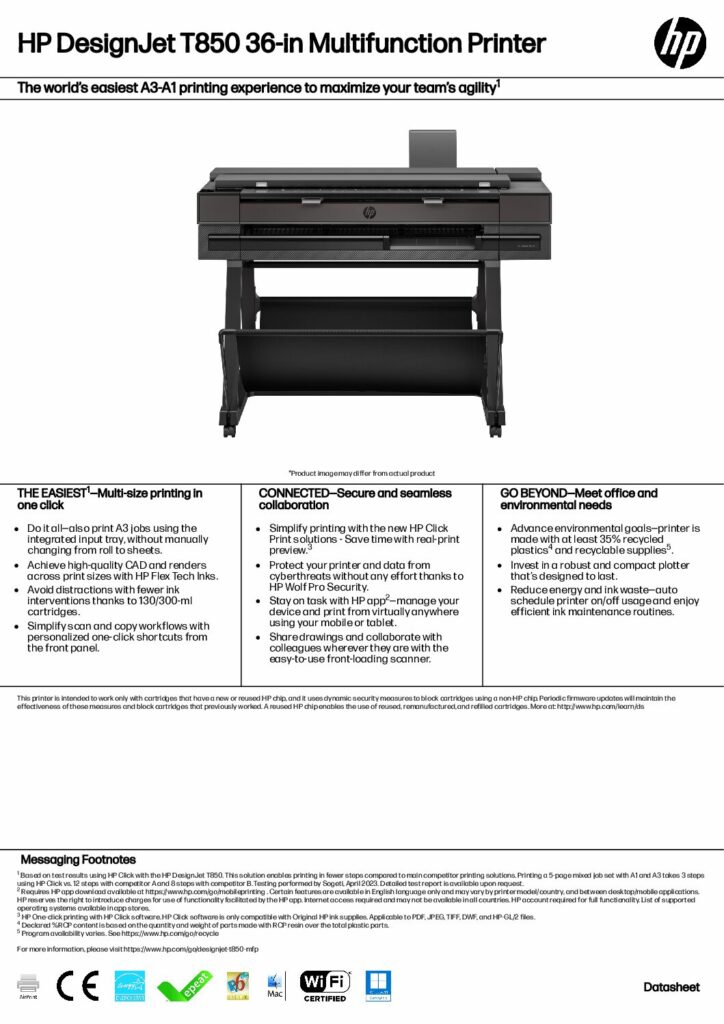
Professional HP DesignJet T850 MFP Repair & Maintenance
The HP DesignJet T850 MFP is a dependable large-format printer, scanner, and copier — designed for engineers, architects, surveyors, and contractors who need precision and speed. Over time, your machine may need calibration, printhead replacement, or firmware updates.
Our Riverside County HP technicians offer complete on-site service:
- HP DesignJet T850 firmware updates and software troubleshooting
- Printhead and carriage belt replacement
- Paper feed and cutter path repair
- Encoder strip and sensor cleaning
- Scan-to-folder setup and network repair
- Preventive cleaning and calibration for long-term reliability
We bring expert HP plotter repair right to your door — whether you’re in Temecula, Riverside, Corona, or the Coachella Valley.
Common HP DesignJet T850 MFP Error Codes
If your printer shows an error, here are the most frequent codes for the T850 MFP and what they mean:
| Error Code | Cause | Fix / Recommended Action |
|---|---|---|
| F0.01.01.02 | Firmware or software issue | Reinstall or update firmware via USB and restart printer. |
| F0.01.01.04 | Firmware or communication fault | Update firmware, verify network connection. |
| 839A-6B28 | Network configuration problem | Reset network settings, check LAN or Wi-Fi setup. |
| 0081-0008 / Paper Jam | Paper feed or cutter jam | Remove jammed paper, clean cutter, reload roll. |
| Scan-to-folder error | SMB or permission problem | Check shared-folder credentials, enable SMB v1/v2 on your server. |
If you see other error codes, our HP-certified technicians can quickly diagnose and repair them on-site.
Why Choose Us for HP DesignJet Repair in Riverside County
- Fast, on-site service anywhere in Riverside County
- Certified HP DesignJet and LaserJet technicians
- Genuine HP parts and professional diagnostic tools
- Affordable service plans and maintenance contracts
- Support for all HP DesignJet and T-Series models
We cover the entire county:
Riverside, Corona, Temecula, Murrieta, Hemet, Menifee, Lake Elsinore, Perris, Norco, Eastvale, Banning, Beaumont, Wildomar, Moreno Valley, Indio, Palm Springs, Palm Desert, Rancho Mirage, La Quinta, Cathedral City, Coachella, and Desert Hot Springs.
Schedule Your HP DesignJet T850 MFP Repair in Riverside County Today
Don’t let printer errors stop your business. Our HP DesignJet repair experts in Riverside County are ready to restore your T850 MFP quickly and efficiently.
Call today for same-day or next-day on-site HP DesignJet T850 MFP repair anywhere in Riverside County, CA!